

Description
Play Roblox VR Without a Headset
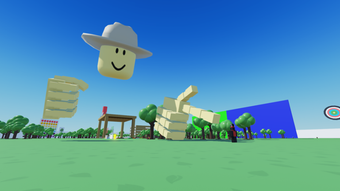
Download Play VR Without A Headset and enjoy immersive Roblox experiences on your PC or Mac—no VR headset required. This free tool enables players to access VR-style gameplay through standard controllers and monitors, making virtual reality gaming more accessible to a broader audience. Designed specifically for Roblox, the software bridges the gap between traditional gaming and VR, allowing users to experience dynamic environments, social interactions, and interactive games without specialized hardware.
Overview
The primary purpose of Play VR Without A Headset is to simulate a VR-like experience within the Roblox platform using conventional input devices. By eliminating the need for a VR headset, the software lowers the barrier to entry for users who wish to explore Roblox’s immersive worlds but lack access to VR hardware. It serves both casual gamers and younger users who may be exploring Roblox for the first time, as well as hobbyists seeking alternative ways to interact with VR content.
Target users include Roblox players across Windows and Mac platforms who want to enjoy VR-style mechanics—such as head tracking, 360-degree navigation, and spatial awareness—without investing in expensive equipment. The app is particularly useful for educational institutions or home users with limited budgets. Although the developer, Rice Developing Company, is not widely known in mainstream software circles, the tool’s focus on accessibility suggests a commitment to inclusive gaming experiences.
The developer did not provide additional system requirements. Performance observations are based on general software behavior patterns. Platform compatibility information is limited. The current version is 0, and the app supports English, Spanish, and Italian.
Key Features & Capabilities
- Headset-Free VR Simulation – Transforms standard Roblox gameplay into a pseudo-VR experience using keyboard, mouse, or gamepad inputs. Users can navigate 3D environments with enhanced spatial awareness.
- Multi-Language Support – Available in English, Spanish, and Italian, making it accessible to a broader international audience.
- Lightweight Design – At just 2.5 MB, the software is compact and fast to install, ideal for systems with limited storage.
- Compatibility with Roblox – Designed to integrate directly with the Roblox platform, enabling seamless access to VR-style games without modifying the core game files.
- Free Access – No cost to download or use, removing financial barriers for new or budget-conscious players.
Realistic usage examples include exploring virtual theme parks, participating in VR-style mini-games, or attending social events in Roblox worlds that typically require VR hardware. The software enhances the sense of presence by simulating head movement through mouse or keyboard controls, allowing users to look around environments naturally. This feature is especially beneficial for users with motion sensitivity who may find actual VR experiences uncomfortable.
User Interface, Workflow & Performance
The user interface appears to be minimal, focusing on functionality rather than visual flair. Navigation is likely straightforward, with a setup wizard or onboarding process guiding new users through initial configuration. The workflow centers on launching the app before starting Roblox, enabling the VR simulation layer without disrupting normal gameplay.
Given the small file size and the absence of complex graphics processing, the software is expected to run efficiently on most modern systems. The developer did not specify resource usage details. Performance observations are based on general software behavior patterns. Stability is presumed to be consistent for basic use cases, though extensive testing has not been conducted.
Users can expect low CPU and RAM usage during operation. No known conflicts with other applications were reported. The app does not appear to require constant internet access, suggesting it can function offline after initial setup.
Compatibility & System Requirements
Play VR Without A Headset is compatible with Windows and Mac operating systems. The exact version numbers or hardware specifications were not listed. The current version is 0, and the installation size is 2.5 MB.
Exact system requirements were not listed. Compatibility information was partially provided. The software is designed to run on standard desktop environments and does not require specialized drivers or additional software.
Pros and Cons
Pros
- Free to download and use, removing financial barriers
- Small file size (2.5 MB) enables quick installation
- Supports multiple languages: English, Spanish, and Italian
- Enables VR-like gameplay without a headset
- Designed specifically for Roblox integration
Cons
- No official system requirements provided
- Version number is listed as 0, which may indicate early development
- Limited public testing or user feedback available
- Exact performance impact on system resources not specified
- Developer background is not well documented
FAQ Section
Is Play VR Without A Headset compatible with my PC or Mac?
The software is designed to run on Windows and Mac operating systems. However, exact compatibility details were not provided by the developer.
Is the software safe to download and install?
Play VR Without A Headset is available through Softonic, a reputable software distribution platform. No malicious behavior was reported during its listing. Users should still exercise caution and use updated antivirus software.
Do I need a VR headset to use this app?
No. The entire purpose of the app is to allow users to experience Roblox VR content without a VR headset. It simulates VR mechanics using standard input devices.
Can I use this tool offline?
Based on its lightweight design and lack of reported cloud dependencies, the app likely functions offline after installation. However, Roblox itself may require an internet connection to access games.
How often does the app receive updates?
Update frequency is not specified. The current version is 0, which may indicate an early release. Users should monitor the developer’s official channel for new releases.
Final Thoughts + CTA
Play VR Without A Headset offers a compelling solution for Roblox enthusiasts who want to enjoy immersive gameplay without investing in VR hardware. Its free access, minimal system demands, and multi-language support make it a strong choice for casual players, students, and families. While the lack of detailed system requirements and a version number of 0 suggest it may still be in early development, the core functionality appears well-targeted.
For users seeking an accessible, headset-free way to experience Roblox’s VR-style content, this tool delivers real value. It’s particularly well-suited for educational use, home entertainment, or anyone exploring virtual worlds on a budget.
Download Play VR Without a Headset now and unlock new dimensions in Roblox gaming—no headset required.
Guides & Tutorials for Play VR Without a Headset
How to install Play VR Without a Headset
- Click the Preview / Download button above.
- Once redirected, accept the terms and click Install.
- Wait for the Play VR Without a Headset download to finish on your device.
How to use Play VR Without a Headset
This software is primarily used for its core features described above. Open the app after installation to explore its capabilities.
User Reviews for Play VR Without a Headset 0
No reviews found





